
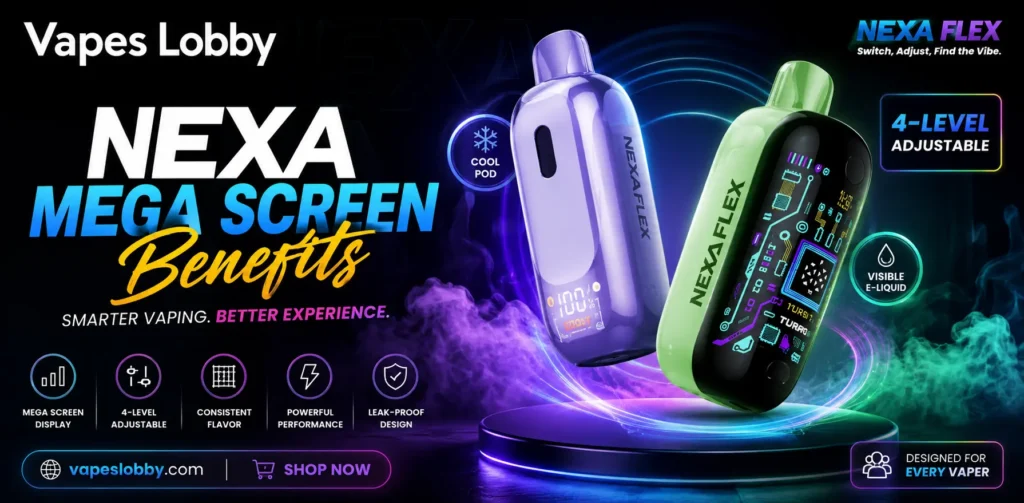
The mega screen on NEXA vape devices shows battery level, e-liquid level, and power mode in real time. This built-in display removes the guesswork from daily vaping – you always know when to charge, when the juice is running low, and which mode is active. Found on models like the N20000, PIX 35K, and Ultra II 50K, it’s a small feature that solves the biggest problems disposable vape users face.
What is the Mega Screen on NEXA Vape Devices?
The mega screen is a built-in digital display found on NEXA disposable vapes such as the N20000, the PIX 35K, and the Ultra II 50K. It sits on the front or side of the device, depending on the model.
Older disposables gave no information at all – the device simply stopped working when the battery or e-liquid ran out. NEXA changed that with a screen that reports device status while you use it.
Most NEXA screens display three things:
- Battery percentage or a battery bar
- E-liquid level shown as a tank icon or percentage
- The active power mode, such as Regular or Turbo
That’s the whole idea. Simple information, shown clearly, at all times.
Why is a Screen on a Disposable Vape So Useful?
A vape without a screen is a mystery box – you puff and hope. A dry hit or a dead battery often arrives with no warning. The mega screen fixes both problems.
You Can Check the Battery Before You Leave Home
The screen shows the exact charge level. If the battery reads 20 percent in the morning, you know to plug in the USB-C cable before heading out. NEXA devices recharge quickly, so a short charge is usually enough for the day – no more dead devices during a commute or a long shift.
You Always Know How Much E-Liquid Is Left
Burnt, dry puffs happen when the coil runs without juice. They taste bad and can damage the coil. The e-liquid reading on the mega screen warns you before that point. When the tank icon drops near empty, you know it’s time to plan for a replacement, protecting the flavor from the first puff to the last.
You Can Confirm Your Power Mode at a Glance
Many NEXA devices offer two modes. Regular Mode runs at lower wattage for a smooth, cooler draw. Turbo Mode runs at higher wattage for warmer vapor and stronger flavor. The screen tells you which mode is active, so you never take a harder hit than you expected.
How the Mega Screen Helps You Control Your NEXA Device
The screen isn’t only a display – it works together with the device controls. Here’s a simple way to use it day to day:
- Check the battery reading first thing in the morning
- Charge with a USB-C cable whenever the level falls below 20 percent
- Watch the e-liquid icon once a day so a dry hit never surprises you
- Switch to Regular Mode when you want the battery to last longer
- Use Turbo Mode for short sessions when you want more vapor
- Stop using the device once the e-liquid reads empty, even if the battery still has charge
Following these steps keeps the coil healthy and keeps the flavor steady across thousands of puffs.
How the Mega Screen Compares Across Popular NEXA Models
Different NEXA devices pair the screen with different specs. This table gives a quick side-by-side view so you can pick the model that fits your routine.
| Feature | NEXA N20000 | NEXA PIX 35K | NEXA Ultra II 50K |
| Screen Type | Mega screen with battery and e-liquid readout | Screen readout plus visible juice window | HD display with battery and e-liquid readout |
| Puff Count (up to) | 20,000 | 35,000 | 50,000 |
| E-Liquid Capacity | 20mL | 20mL | 28mL |
| Power Modes | Regular 12W / Turbo 25W | Single mode with dual mesh coil | Dual mode with dual mesh coil |
| Charging | USB Type-C | USB Type-C | USB Type-C |
| Nicotine Strength | 5% nicotine salt | 5% nicotine salt | 5% nicotine salt |
All three devices give you the same core benefit – the screen keeps you informed, whether you choose the smallest device or the largest one in the lineup.
What are the Long-Term Benefits of Using the Screen?
The value of the mega screen grows the longer you own the device. Here’s what regular screen checks give you over weeks of use:
Fewer Wasted Devices and Less Spending
When you can see the e-liquid level, you use every drop before replacing the device. People who guess often throw away devices too early or push them too far. The screen helps you get the full puff count you paid for.
Better Battery Habits and Longer Sessions
Charging at the right time protects the battery. Draining a battery to zero again and again shortens its life. The screen makes it easy to top up at 20 or 30 percent instead, keeping the device working well through its full lifespan.
A Safer, More Predictable Experience
Surprises are the main downside of screenless vapes. A sudden dry hit is harsh on the throat, and a dead battery leaves you without your device. The mega screen removes both surprises, making each session predictable and easy to plan.
Safety and Legal Points Every NEXA User Should Know
Vaping products contain nicotine, and nicotine is addictive. The mega screen improves convenience, but it doesn’t change the health facts. Keep these points in mind:
- You must be 21 or older to buy any vape product in the United States under the federal Tobacco 21 rule
- The FDA regulates e-cigarettes and disposable vapes as tobacco products; buy only from licensed sellers who follow these rules
- Store devices away from children and pets – nicotine e-liquid is harmful if swallowed
- Never charge a device with a damaged cable, and don’t leave it charging overnight
- Dispose of used devices properly; many areas treat them as electronic waste because of the battery
If you have never used nicotine, do not start. These devices are made for adult smokers and current vapers only.
Conclusion
The mega screen turns a basic disposable into a device you can actually manage. You see your battery, your e-liquid, and your power mode at all times — meaning fewer dry hits, better charging habits, steadier flavor, and full value from every puff.
If you’re choosing between a plain disposable and a NEXA device with a mega screen, the screen is worth it. It’s a small feature that solves the biggest problems disposable users face. Check the display often, follow the simple habits above, and your device will perform well from the first puff to the last.
FAQs
What does the NEXA mega screen show?
It displays battery percentage, e-liquid level, and the active power mode in real time.
Which NEXA models have the mega screen?
The N20000, PIX 35K, and Ultra II 50K all feature the mega screen or similar readout displays.
When should I charge my NEXA device?
Charge it whenever the battery reading falls below 20 percent to protect long-term battery health.
Can the mega screen prevent burnt hits?
Yes, the e-liquid readout warns you before the tank runs dry, helping you avoid burnt, dry puffs.
What’s the difference between Regular and Turbo mode?
Regular Mode gives a smooth, cooler draw at lower wattage; Turbo Mode gives warmer vapor and stronger flavor at higher wattage.
Does the mega screen help the device last longer?
Yes, it helps you use every drop of e-liquid and avoid over-draining the battery, extending usable life.
Is the NEXA Ultra II 50K worth it over the N20000?
The Ultra II 50K offers more puffs (50,000) and e-liquid capacity (28mL) with an HD display, suited for heavier vapers.
Is NEXA legal to buy in the USA?
Yes, provided you’re 21+ and purchasing from a licensed retailer, per FDA and Tobacco 21 regulations.